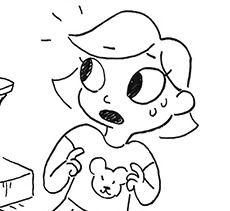
I got a laptop with Windows 11 for an IT course so I can get certified, and doing the first time device set-up for it made me want to commit unspeakable violence
Windows 11 should not exist, no one should use it for any reason, it puts ads in the file explorer and has made it so file searches are also web searches and this cannot be turned off except through registry editing. Whoever is responsible for those decisions should be killed, full stop.
Switch to linux, it’s free and it’s good.
u r absolutely right I have SO many complaints about Windows omg.
For anyone who’d like to follow along, I’m gonna share how to get around those things with group policies bc they’re more user friendly and descriptive than registry editor imo :3 I’ll also show how to get around needing a Microsoft account to get setup.
For the Device Setup
“OOBE” stands for Out Of Box Experience which is what that setup workflow is. But it also happens to be a folder with a little program in it that’ll let you skip connecting to the internet; this makes it so you don’t have to sign up with a Microsoft account and can just use a normal local one instead. And it already comes preinstalled! Here’s how you get to it:
Hold Shift+ F10, or Shift + Fn + F10 depending on your keyboard.
Click inside the window that pops up, type the following and press enter afterwards to run it: OOBEBypassNRO
I believe it should restart your computer automatically, but if not then restart your computer or type: shutdown /r /t 0 /f
Now when you’re brought back to the setup workflow, the page where you connect to the internet will have a new button on it that lets you say you don’t have internet. Clicking that and proceeding through the rest of the setup lets you get around the Microsoft account thing.
Group Policies
You don’t have to know much about them, these are just a bunch of specific settings for what your computer can or can’t do that lets you decide how it works in different ways.
I’m gonna show you how to turn off the recommendations and internet stuff basically. For now bring up search and type gpedit, pick this
It’ll open up to Local Group Policy Editor and we can get started :3c
Start Recommendations
In the side menu, go to User Configuration > Administrative Templates > Start Menu and Taskbar. Click on Settings to sort them with all the “Turn off” ones bumped to the top.
Here’s what you should set:
Turn off user tracking: enabled
Turn off feature advertisement balloon notifications: enabled
Remove Recommended section from Start Menu: enabled
Remove Personalized Website Recommendations from the Recommended section in the Start Menu: enabled
Do not search Internet: enabled
Windows Spotlight
Back in the side menu, go down to Windows Components > Cloud Content
Turn off all Windows spotlight features: enabled
Do not use diagnostic data for tailored experiences: enabled
Cortana
In the side menu, this one’s back at the top under Computer Configuration. You’re gonna want to go to Computer Configuration > Administrative Templates > Windows Components > Search
Allow Cortana: disabled
Don’t search the web or display web results in Search: enabled
News and Interests
In the side menu go to Computer Configuration > Administrative Templates > Windows Components > News and interests.
Enable news and interests on the taskbar: disabled
Microsoft Account Login Nudges
When you don’t use a Microsoft account they’ll nudge you repeatedly to sign in so you can “get the most out of your experience” *gag*. The group policy for turning that off has a note that suggests it might not work with Windows 11 though (implicitly), so you can close the group policy editor window now and for this last one let’s just open up the regular settings.
Go to System > Notifications > Additional settings, then uncheck all the boxes. And there ya go! (✿◠‿◠)ノ u are done.
Group policies are kind of a rabbit hole so while there is a lot more you could change or read into, for your own sanity’s sake I would advise against it and say call it a day lol
This is all extremely good information, thank you very much for the addition!
I endorse this as an IT technician. I do this to every new Win11 device I set up.
As a bonus, run Chris Titus Tech’s debloat tool on it.
It allows you to add tools, remove/disable shitty parts of windows, and easily change some settings. My default is running the preset for a desktop/laptop and applying security update settings, but there are so many options to customize. I used it on my personal laptop.
today in “google AI is fucking useless because it hallucinates things that never happened”, i bought a couple CVS thermometers that have both been acting up, tried to search if there had been a problem with the whole product line:
there is no record of this product recall. it did not happen. the date “feb 8 2024” is the date someone listed a thermometer for sale on ebay.
Google’s trying to save you the time spent clicking on a site full of AI-generated SEO garbage by presenting the AI-generated garbage right up front! Such efficiency.
I was under the impression that we did know why: AI isn’t actually a brain and can’t actually think or understand information, so it has no concept of something being true or not, or what markers indicate truth or falsity, or how to synthesize information. It’s putting a bunch of words in a jar, shaking the jar, and then dumping it out, and acting like that means the jar knows how to talk.
Like, in this case, OP asked for information about a recall. The AI knows that, throughout the entire internet, the word “recall” usually is surrounded by information like a date or a number, so it gives you a date and a number. It doesn’t know what a date is or what it’s for or what it means. (It also apparently doesn’t know the difference between “recall” as in “removing a dangerous product from the shelves” and “recall” as in “remembering,” since it smooshes the two together)
what’s that thing again that you can put into ublock that blocks all the ai results from google?
[ID mostly by @homunculusalphonse : A photo of the Google search results for the phrase “cvs thermometers recall”: “On February 8, 2024, CVS Health recalled its rigid tip digital thermometer with memory recall and fever alarm. The thermometers have a memory recall feature that stores the previous temperature. The item number for the recall is 375235991489.” Both the links attached to this text are from eBay and Pinterest. This module does say “AI overviews are experimental”, in much smaller font. /End ID]
The uBlockOrigin AI blocklist above is super helpful y’all.
…Anyway, I created a Userscript for the Chrome/Firefox Stylus Extension that reverts the new dashboard to the old format. This took a lot of tweaking and it’s not perfect at all, but if anyone wants it I’ll be uploading it soonish now!
Style will open a tag with it and in the left side you’ll have a button that says “install style”, click there. (Step-by-step copied from the lovely dorothyoz39 who wrote this in a reply!)
If you don’t want the sticky header you can remove the labelled script at the top of the css below /* Sticky Header*/
Be sure to check for updates, I’m fixing things as I go! To update click the Manage button on Stylus and click the check for update button below! If you experience any bugs let me know – feel free to edit it yourself as well!P.S. Works just fine alongside Xkit!
Check under the cut for the changelog and known issues!
hey guys! this will be a quick tutorial for blending gifs in photoshop
(i use cs5, and i make my gifs using the timeline)
i included pictures and everything, so i hope it’ll be helpful
so let’s say you have your two (or more) gifs ready, nicely cut, sharpened and colored. i’ll use these two of lucifer and chloe
firstly, drag one of your gifs on top of the other, and arrange them a bit (you can obvs drag them around any time if it doesn’t look good)
(i circled the timeline in yellow, always make sure that your gifs are the same length! obvs if one of them is longer, you can drag around the end of the timeline to align them up)
now we’ll need a mask. select the top layer, and click on the Add layer maskicon in the bottom right corner. a white rectangle (our mask) will appear next to the layer
the next step is to select the Brush tool, set the size to as big as you want (generally it looks better if you use a bigger brush, it’s much more seemless), and the color to black
then just paint around the edge of the top gif, you’ll see on the mask where the brush affects the layer. it’s generally better to just click around a couple times, than dragging the brush accross
now you can save it like any other gif, and this is what i ended up with
there are obviously many other ways of blending gifs, and this is far from the best one, but i feel like it’s the easiest if you have two similar gifs
sometimes setting the top layer on linear dodge looks great. if you’re using a dark and a light scene, you can play around with setting them on screen or soft light
i hope this helped, and if you have any questions, don’t hesitate to shoot an ask or message!
As everyone is probably aware by now, the biggest problem with polls is that they make posts permanently uneditable. The instant you publish, the edit button is grayed out and you can never fix any typos, correct inaccurate information, change the poll duration, or change reblog permissions.
Editing tags was also seemingly impossible (which is a Big Problem given the banned tags situation is still very much a thing), but luckily there’s a workaround: the mass post editor! I rarely use this feature and often forget it even exists because it’s clunky and annoying to deal with, but it’s better than nothing.
Step 1: Open the Mass Post Editor. To access it, go to your activity or drafts page on desktop. You should find the link at the very bottom of the side menu. As far as I know this editor is not available on mobile.
Note: If you want to edit a post that’s NOT on your main blog just append the sideblog name to the end of the link.
Step 2: Find the post you want to edit and click on it. This is easier said than done and the part that makes the mass post editor so annoying. All you’re given is a cluttered wall of thumbnail previews with tiny snippets of text and no way to search or filter posts other than by the month they were published. It’s a mess. If the post you’re trying to find is not recent, your best bet will be using the browser search (Ctrl+F on Windows, ⌘+Z on Mac), however, this will only search within the tiny snippet of text in the previews, not the whole post.
Step 3: Edit the tags. This part should be pretty straightforward. Click the “edit tags” button in the top menu to delete an existing tag (note it will only list the first 20 because those are the only ones that are indexed and searchable) or “add tags” to add a new tag to the post.
That’s it, you’re done! Obviously this method works for editing tags on any post, not just polls, but imo there’s very little reason to go this route unless you’re desperate.
more on writing muslim characters from a hijabi muslim girl
– hijabis get really excited over pretty scarves – they also like to collect pins and brooches – we get asked a lot of questions and it can be annoying or it can be amusing, just depends on our mood and personality and how the question is phrased – common questions include: – “not even water?” (referring to fasting) – hijabis hear a lot of “do you sleep in that?” (we don’t) and “where is your hair?” (in a bun or a braid, usually) – “is it mooze-slim or mozzlem?” (the answer is neither, it’s muslim, with a soft s and accent on the first syllable) – “ee-slam or iz-lamb?” (it’s iss-laam, accent on the first syllable) – “hee-job?” (heh-jahb, accent on the second syllable)
– “kor-an?” (no. quran. say it like koor-annn, accent on the second syllable) – people tend to mess up our names really badly and you just get a sigh and a resigned nod or an awkward smile, maybe a nickname instead – long hair is easy to hide, short hair is harder to wrap up – hijab isn’t just covering hair, it’s also showing as little skin as possible with the exception of face, hands, and feet, and not wearing tight/sheer clothing – that applies to men too, people just don’t like to mention it ( i wonder why) – henna/mehendi isn’t just for special occasions, you’ll see people wearing it for fun – henna/mehendi isn’t just for muslims, either, it’s not a religious thing – henna/mehendi is not just for women, men also wear it, especially on their weddings – there are big mehendi parties in the couple of nights before eid where people (usually just women and kids) gather and do each other’s mehendi, usually just hands and feet – five daily prayers – most muslim kids can stutter through a couple verses of quran in the original arabic text by the age of seven or eight, it does not matter where they live or where they’re from or what language they speak natively – muslim families tend to have multiple copies of the quran – there are no “versions” of the quran, there has only ever been one. all muslims follow the exact same book – muslims have no concept of taking God’s name in vain, we call on God at every little inconvenience – don’t use islamic phrases if you don’t know what they mean or how to use them. we use them often, inside and outside of religious settings. in islam, it is encouraged to mention God often and we say these things very casually, but we take them very seriously – Allahu Akbar means “God is Greatest” (often said when something shocks or surprises us, or if we’re scared or daunted, or when something amazing happens, whether it be good or bad; it’s like saying “oh my god”) – Subhan Allah means “Glory be to God” (i say subhan Allah at the sky, at babies, at trees, whatever strikes me as pleasant, especially if it’s in nature) – Bismillah means “in the name of God” and it’s just something you say before you start something like eating or doing your homework – In Shaa Allah means “if God wills” (example: you’ll be famous, in shaa Allah) (it’s a reminder that the future is in God’s hands, so be humble and be hopeful)
– Astaghfirullah means “i seek forgiveness from Allah” and it’s like “god forgive me” – Alhamdulillah means “all thanks and praise belong to God” and it’s just a little bit more serious than saying “thank god” (example: i passed my exams, alhamdulillah; i made it home okay, alhamdulillah) – when i say we use them casually, i really mean it – teacher forgot to assign homework? Alhamdulillah – our version of “amen” is “ameen” – muslims greet each other with “assalamu alaikum” which just means “peace be on you” and it’s like saying hi – the proper response is “walaikum assalam” which means “and on you be peace” and it’s like saying “you too”
As a Muslim this post is so very important and it makes me so happy that it gives the small facts and details that one might be unaware of or confused about.
Would any if you peeps be interested in if I made a little post about spray paint? Like I want to show some people how I do it and maybe if y’all feel like it y’all can try it
Nobody said yes but
TO BAD
let’s
Do this
Step one
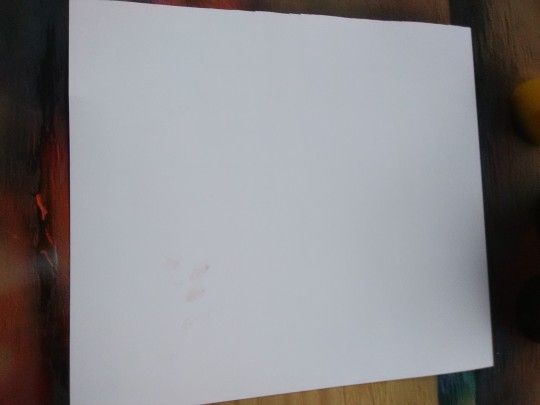
Get some supplies obviously, all you will need is
Spray paint (doesn’t even have to be much, you can do this with 3-4 colors or 1000)
Glossy paper. Photo paper also works, you can figure it out
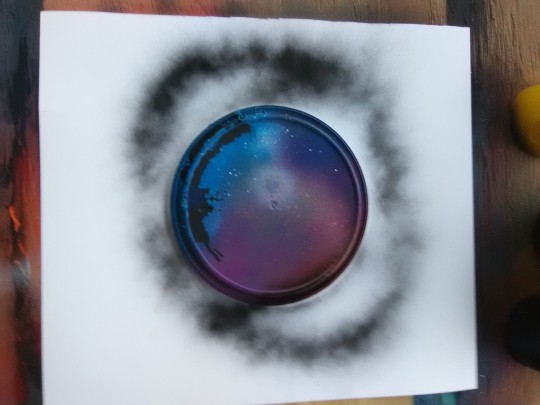
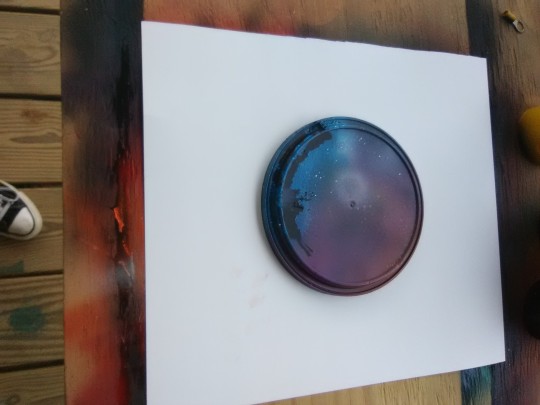
Anything round to make the planet with that can cover it up
Determination
Also a snack.
Step two
Cover yo thang
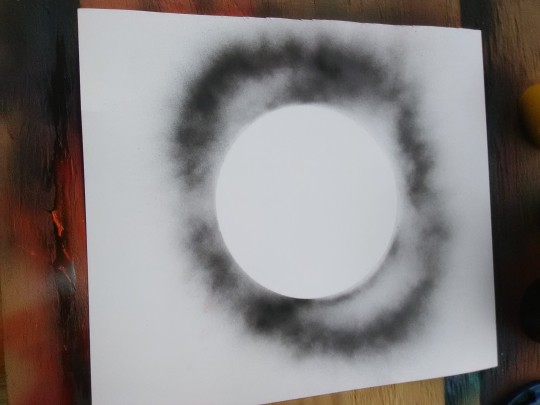
You’re just gonna spray enough so that you’ll be able to make out the shape, you don’t need much at all and it’s even better if you don’t use much.
Look at that nice circle
Step three
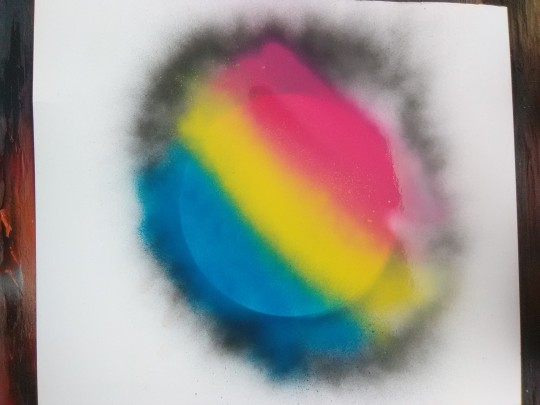
color, this part is so fun and you can do anything you want with it, i made mine the pansexual flag
I know it looks crazy but trust me, you’re gonna have to cover it up with a few colors.
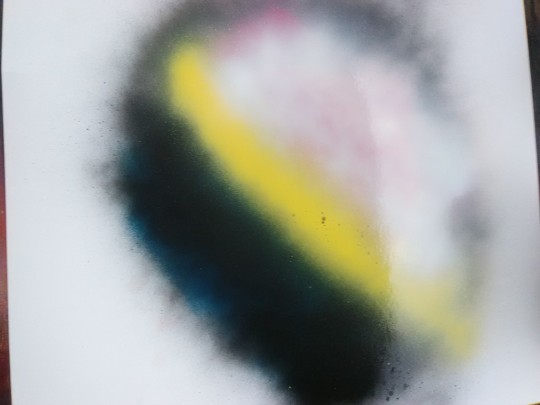
Think about where you want the light to come from, the black is the shadow farthest from the light, the white is where the light is shining on it and the yellow in the middle is so that it’s not so bland. For the color in the middle put whatever was underneath right there (or not I’m not your mom)
STEP FOURRR
You’re gonna ball up some paper and lay it over it, will the paper to get some if the paint up and lift
I wasn’t to happy so I did it again, you can do this as much or as little as you want.
This looks better to me.
Step whatever
More shadows, this is optional but I prefer it. Black in the bottom and white on the top as before but this time not as much so the color comes through
STEP TO THE LEFT NOW YALL
Okay cover it up againnnn
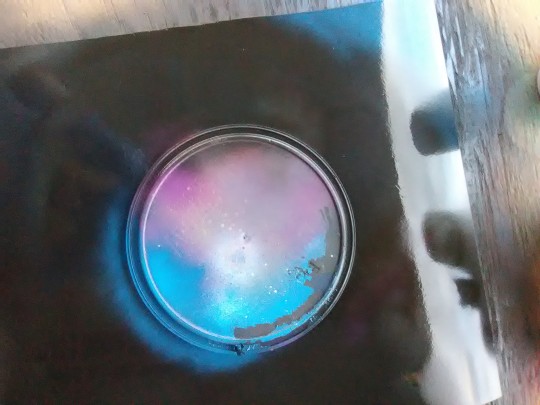
Paint that while thing black. The entire thing, completely. This is always fun
The bright side (light)
Okay this is optional but I love it, I’m gonna add light… Just look
sooo start with blue in the corner where it’s coming from and a bit in the other side behind the planet, stay with me on this.
White to brighten it up…..
Now another fun part
Stars
You can do this anyway you want, I just put on a glove and spray some on two of my fingers and flick it on but there’s loads of ways, check it.
In order to apply them on a pic : 1 – Open the gif in Photoshop and show the “timeline” window ;
2 – Select all the layer in the “layer window” ;
3 – Do CMD + G / CTRL + G on the keyboard to put them all in a group ;
4 – Select the group and chose the “Lighten” or “Screen” blend mode (I recommend “screen”) ;
5 – On the timeline, click on the first layer. Copy your personnal pic and paste it under the group with gif texture layers (if you want to add a coloring, I recommend you to add it on your picture, merge all and copy the result, not adding the coloring on the animated file) ;
6 – To save, go to “file menu” ➝ Save for web… (or CMD/CTRL+ALT+UPP+S) and chose gif.
» Gifs made by thlaugraphics / I just made the gif files, the original videos are from different youtube videos ;
» Like or reblog if you like/use :)
» Right click ➝ Save as… to download.
If you have a problem with the animation, you can download them here.
DO YOU WANT A SPECIFIC RESOURCE ? ASK ME OR REQUEST IT HERE 😉 ︎
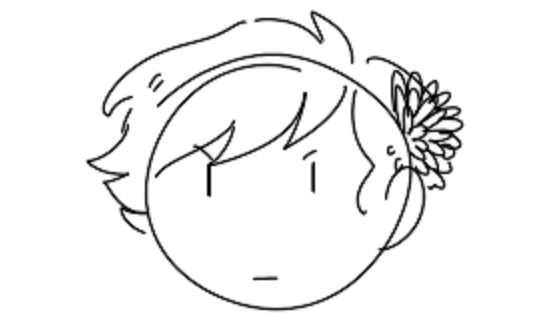
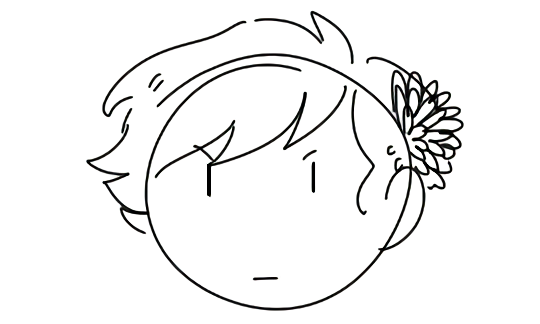
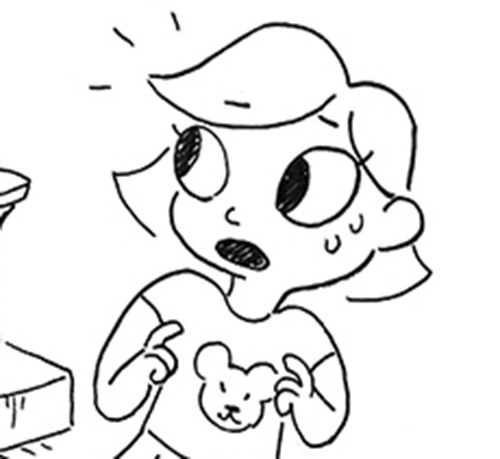
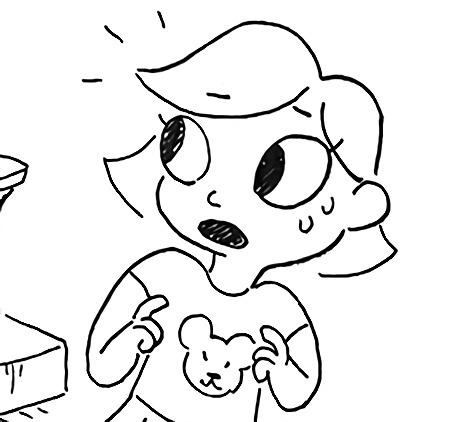
apparently ppl don’t know about waifu2x??? despite its… concerning name it’s literally the most convenient website i’ve ever come across as an artist
it allows you to resize artwork without it becoming pixellated. this is a MASSIVE help if you, for example, make lineart too small or something. it works best with things that 1. have no textures 2. have smooth lines 3. have cel shading, but it still works really damn well for things that don’t fit that profile
here’s an example:
normal size
2x in paint
2x in waifu2x
so like, there’s that. go wild
Original:
Photoshop scaled:
Waifu2x scaled:
It’s legit!! Tell your friends!
waifu2x-multi is the newer version. It allows for rescaling multiple pictures at a time and to scale them up to 10x the original size.