Hi, all! Here’s a quick tip on how to create different kinds of 3D effects in Photoshop. I guess technically only the red and blue effect can be called 3D, but it’s a good catchall phrase! These effects are great for creating a sense of unreality or fuzziness in gifs or graphics.
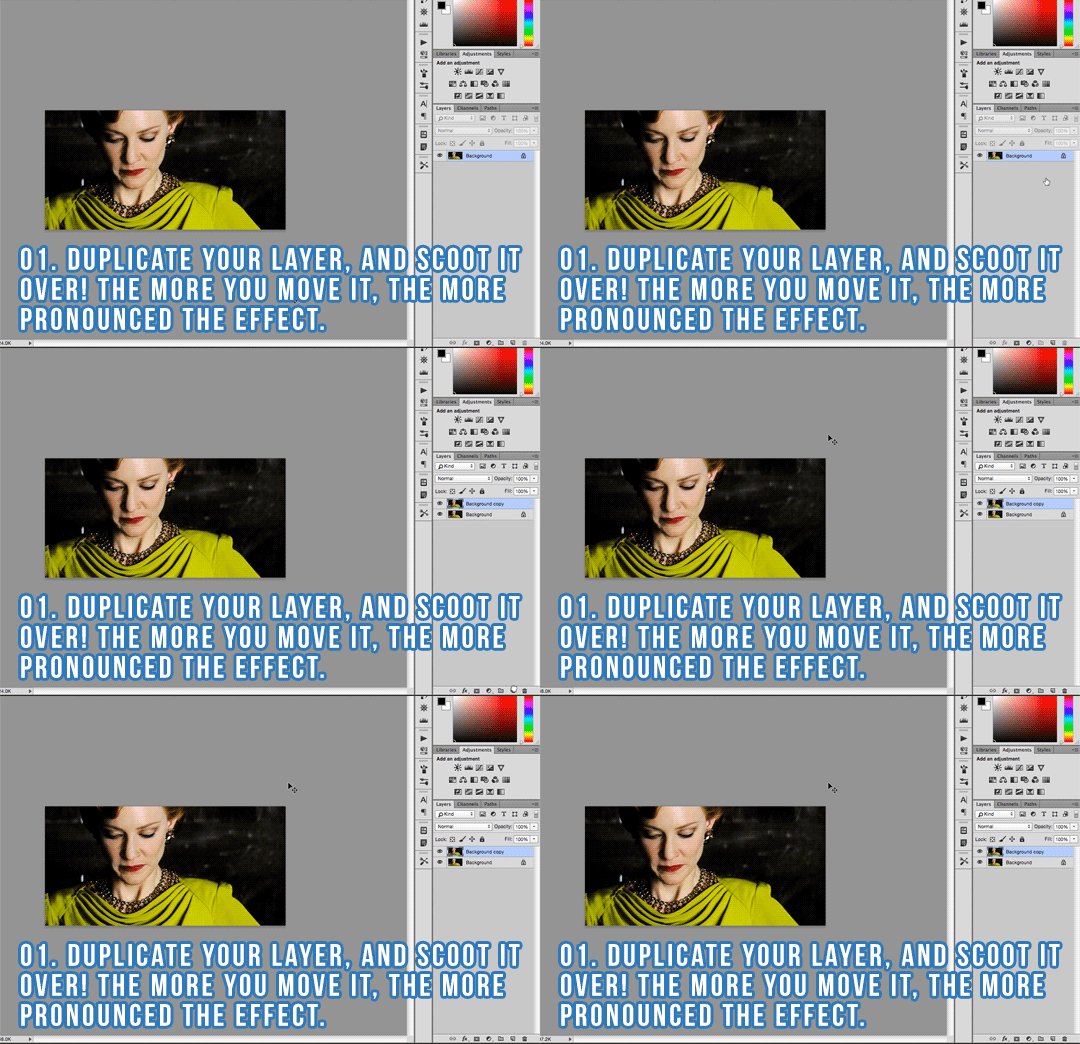
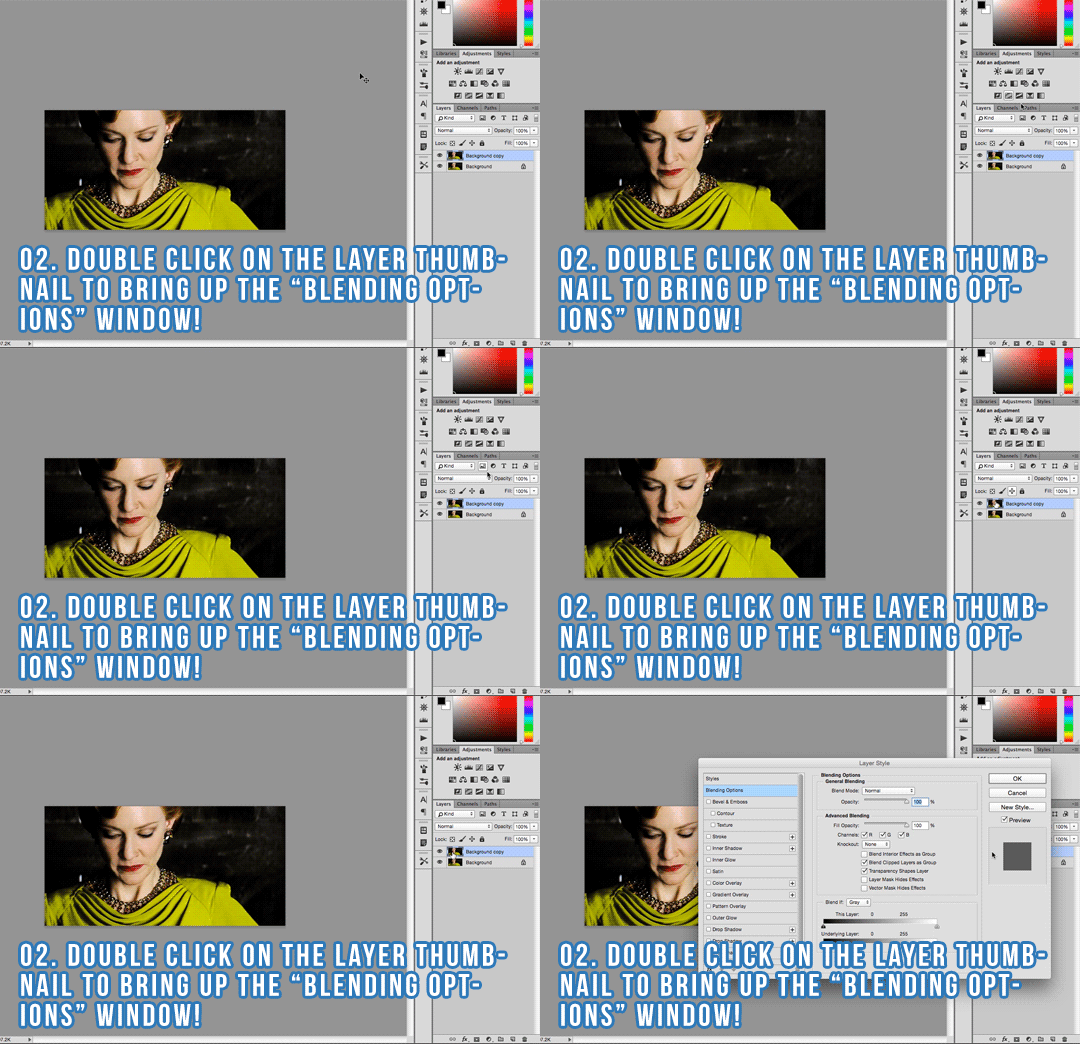
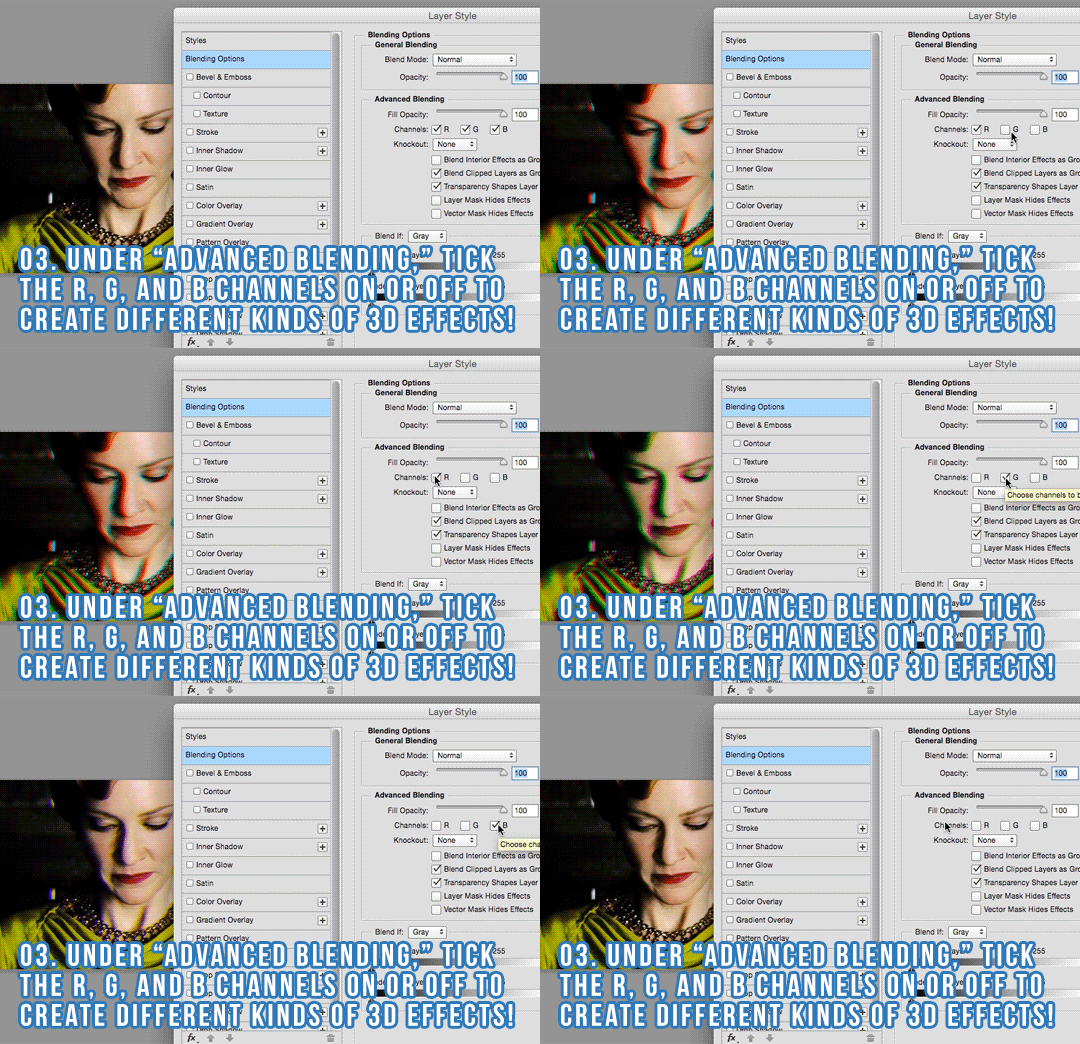
Here are the steps, same as in the gifs:
Duplicate your layer and scoot it over! The more you move it, the more pronounced the effect.
Double click on the layer thumbnail to bring up the “Blending Options” window!
Under “Advanced Blending,” tick the R, G, and B channels on or off to create different kinds of 3D effects!
Hope you found this helpful! As always, if there’s anything I can clarify or help you with, please don’t hesitate to let me know.
Most items in the public-domain release have already been visible at the library’s digital collections portal. The difference is that the highest-quality files will now be available for free and immediate download, along with the programming interfaces, known as APIs, that allow developers to use them more easily….
The library plans to offer Remix Residencies, which will provide financial support for projects using the public-domain materials. NYPL Labs staff members also spent the weeks before the holidays creating quick-and-dirty demonstration projects, which, like Mansion Maniac, are being posted along with the release.
I love this line from Ben Vershbow, the director of NYPL Labs: “It’s the old library mission: Take it and run, and make it your own.”