Hi, all! Here’s a quick tip on how to create different kinds of 3D effects in Photoshop. I guess technically only the red and blue effect can be called 3D, but it’s a good catchall phrase! These effects are great for creating a sense of unreality or fuzziness in gifs or graphics.
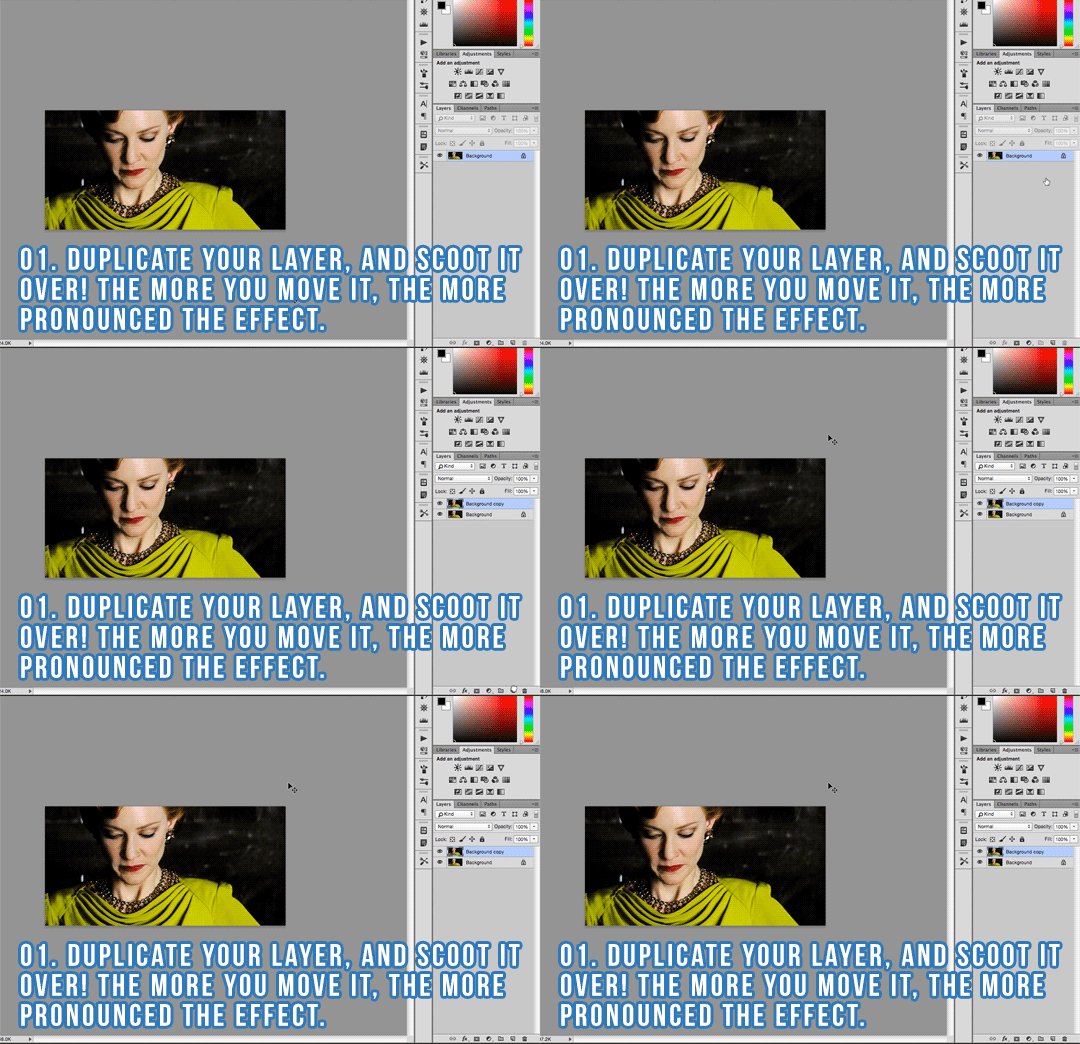
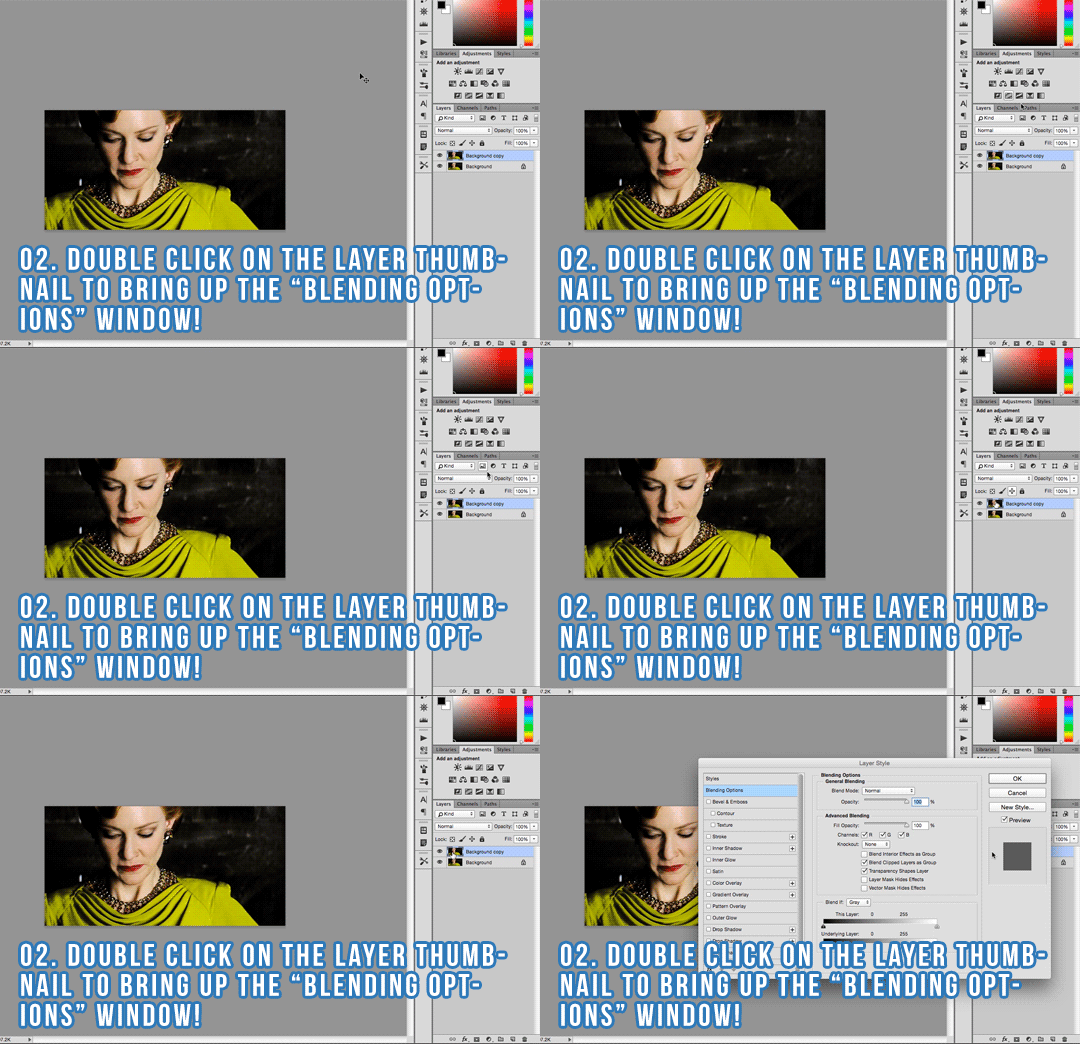
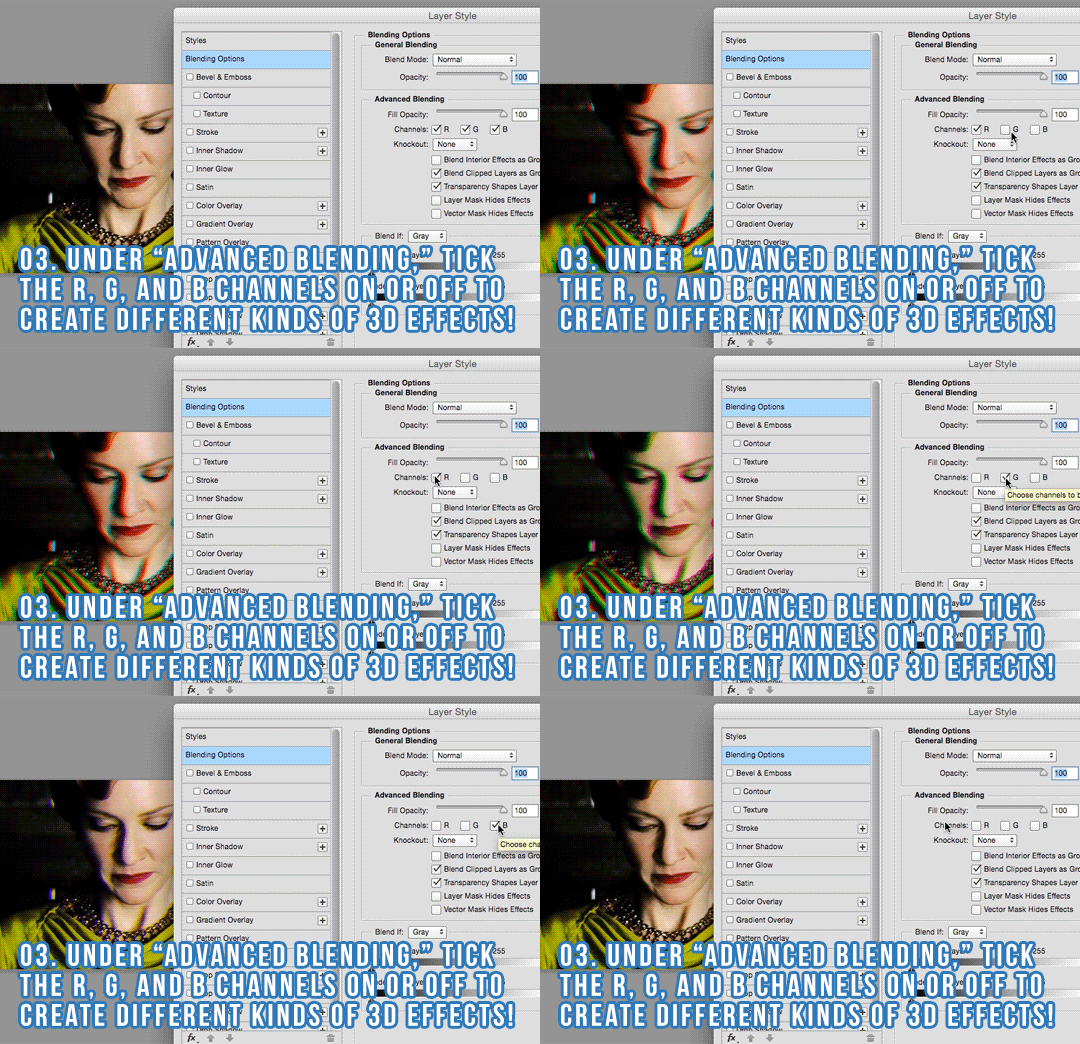
Here are the steps, same as in the gifs:
- Duplicate your layer and scoot it over! The more you move it, the more pronounced the effect.
- Double click on the layer thumbnail to bring up the “Blending Options” window!
- Under “Advanced Blending,” tick the R, G, and B channels on or off to create different kinds of 3D effects!
Hope you found this helpful! As always, if there’s anything I can clarify or help you with, please don’t hesitate to let me know.