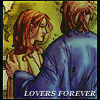
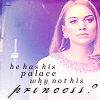
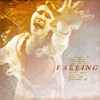
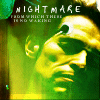
FEATURING! Matt Smith, Karen Gillan, Arthur Darvill and Alex Kingston. Plus many guest stars and a few aliens. It’s been so long since I’ve made a mood theme that I’ve forgotten how they work, but here are all the images on Megaupload. And here’s examples!
confused
energetic
enthralled
impressed
indifferent
jealous
predatory
recumbent
silly
I had to cheat a teeny bit- there's a Doctor Fastus cip in there, and some of Karen in The Kevin Bishop Show, and some of a much younger Arthur on CITV. But anyway, I hope you enjoy!
Download the zip file, take out the images and upload them to your own server.
(The rest taken from Livejournal’s FAQ…they explained it better. :p)
When you’re ready to continue, make sure you’re logged in, and go to LiveJournal’s command console, where you can enter the commands to define your mood theme. (There is a reference, in case you need it, which describes all of the console commands, and explains how to escape double-quote and backslash characters.)
The first thing you’re going to do is create the theme. Execute the command:
moodtheme_create name des
where
name = the name of your new theme, which will be displayed in the lists from which users select.
des = a short description for your theme, which will be accessible through the console’s moodtheme_list command.
For example:
moodtheme_create “Munch’s Screamers” “You’ve seen ‘distressed’. Now see the rest.”
If you’re successful, you’ll see a page which tells you so and gives you a number (the theme ID) identifying your new mood theme. Remember this number, as it will be used every time you enter information for a mood. (If you forget it, you can execute the moodtheme_list command to find out the IDs of all the themes available to you.)
Now it’s time for the tedious part. You’ll assign each of your image files to a mood, by executing a command of the form:
themeID = the number given to you after you created the mood theme.
moodID = the number of a mood for which you created an icon; you can find these numbers in parentheses on the LiveJournal Moods page (example: 15 for “happy”).
picURL = the full URL (Web address) of your mood icon.
width = width of the image, in pixels.
height = height of the image, in pixels.
For the assignment to take effect, you must provide all of the information listed. For example:


 1. 2.
1. 2. 3.
3. 4.
4.  5.
5.  6.
6.  7.
7. 
 9.
9.  10.
10.  11.
11.  12.
12.  13.
13.  14.
14.  15.
15.  16.
16.  17.
17.  18.
18. 
 20.
20.  21.
21.  22.
22.  23.
23.  24.
24.  25.
25.  26.
26.  27.
27.  28.
28. 
 30.
30.  31.
31.  32.
32.  33.
33.  34.
34.  35.
35.  36.
36.  37.
37.  38.
38.  39.
39.  40.
40.  41.
41.  42.
42.  43.
43.  44.
44.  45.
45.  46.
46. 


 2.
2.  3.
3.  4.
4.  5.
5.  6.
6.  7.
7.